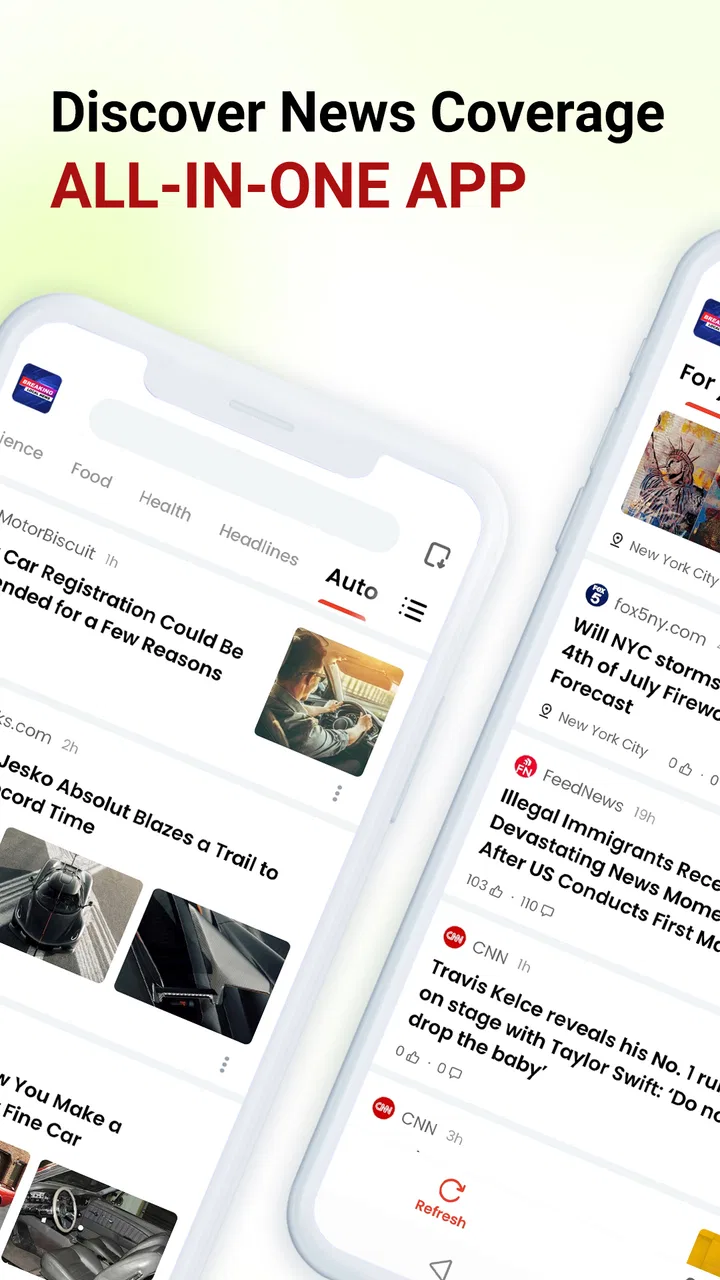
Breaking Local News
- 4.6
- Rating
- 1.00M
- Installs
- Free
- Price

 Analysis by App-foxy
I approached Breaking Local News as a quick, practical news reader rather than as a replacement for every publication I already follow. Its purpose is straightforward: help me notice local stories, urgent updates, and weather information in the area around me. That focus makes it appealing when I want a fast sense of what is happening nearby, but it also means the app works best as part of a broader news routine rather than as my only source.
The app sits in the News & Magazines category and is free to use. It comes from YING LIANG HK LIMITED, carries an Everyone 10+ age rating, and supports Android devices running Android 6.0 or later. The current release is version 13.2.2254.79334. Those details make it accessible to people using older Android phones, although the experience can still depend heavily on the phone’s settings, connection, and location services.
Getting past the first points of friction
The first difficulty with a local-news app is usually not reading an article; it is getting the app to understand what “local” means for you. If the opening experience asks for location access, I would not treat that prompt as something to rush through. A local feed is only useful when the chosen area is correct. Someone who travels between home and work, or who has recently moved, should check whether the displayed location matches the place they actually want to follow.
You May Also Like

 Blood Strike: 2.5 Anniversary
Blood Strike’s Loadouts Turn Every Drop Into a Tactical Gamble
A close look at Blood Strike’s custom loadouts: how fast access to signature weapons reshapes its battle royale rhythm, rewards preparation, and narrows the gap between fights.

 Pandora - Music & Podcasts
Pandora’s Music Is Easy to Start, but Harder to Recover
Pandora’s strength is its low-effort path from a seed to a station. Its weak spot is how much confidence it asks you to place in connection, setup, and quiet recovery.

 8 Ball Pool
 Is Built on Rivalries, Rematches, and Routine
A close look at the rivalries, rematches, shared routines, and unanswered safety questions that turn a quick pool match into a persistent mobile community.

 Samsung Music
’s Quiet Strength Is Playing What You Already Own
Its reach comes less from spectacle than from dependable access to a personal library. That simplicity is both the app’s strongest retention engine and its ceiling.

 AccuWeather: Weather Radar
AccuWeather Review: A Quick, Clear Forecast for Everyday Decisions
For everyday plans, the best forecast is the one you can understand quickly. AccuWeather makes rain timing, radar, and local conditions easy to act on, with a few trade-offs.

 Hill Climb Racing
Why Hill Climb Racing Still Turns Crashes Into One More Run
A tiny car, a bumpy hill and one more upgrade: Hill Climb Racing keeps resurfacing because its simple chaos makes every near-miss feel personal.
More From Our News Desk



I also recommend opening the app when the phone has a reliable connection. A weak mobile signal can make a news reader appear empty or slow, which is easy to mistake for a content problem. Before changing anything complicated, I would switch between Wi-Fi and mobile data, wait briefly, and try again. This simple check separates a temporary connection issue from a genuine app problem.
Another common sticking point is notification behavior. News alerts can be useful during a major local event, but too many interruptions quickly make an app feel noisy. I prefer to begin with a conservative notification setup and then adjust it after using the app for a while. That gives me a better idea of whether the alerts are timely and relevant instead of allowing every prompt to shape my opinion immediately.
The most important setup decision is choosing the right local context. If the app is showing stories from the wrong place, reinstalling it may not solve anything. I would first review the phone’s location setting, confirm that the app is allowed to use the relevant location option, and reopen the app. If I am deliberately avoiding location access, I would expect the local results to be less precise and would rely more on whatever area-selection controls the app presents.
What I check before judging the news feed
When I first open a news application, I look at three things: whether the headlines are clearly local, whether the weather information relates to the same area, and whether the page feels readable at a glance. These checks are more useful than counting how many stories appear. A busy feed can still be unhelpful if it mixes distant events with nearby ones or makes urgent information hard to distinguish from general reading.
I would also give the feed a little time before deciding that it is not updating. Breaking coverage changes throughout the day, and a quiet period does not necessarily mean the app has stopped working. Closing and reopening the app once is reasonable, but repeatedly forcing it to refresh can create more confusion than clarity, especially when the underlying issue is a temporary network delay.
The store listing describes the service as a way to keep up with local news, breaking news, and weather around you. In practice, I see that as a convenience layer: it brings several useful checks into one place, but it should not encourage me to accept the first headline as the complete story. For important events, I still look for the full article, compare coverage, and check whether the information has changed.
A setup routine that avoids unnecessary troubleshooting
My preferred setup routine is deliberately short. I install the app, open it on a stable connection, confirm the local area, and spend a few minutes observing the way stories and weather are presented. I then decide whether notifications would genuinely help me. This is better than granting every permission automatically and trying to undo the resulting interruptions later.
If the app opens but the content does not appear correctly, I would restart it before clearing anything. If that does not help, I would restart the phone and check for an available app update through the normal store process. I would be cautious about clearing app data because that can remove local preferences and make me repeat the initial setup. It is a recovery step, not my first response.
Older Android support is a practical advantage here. The minimum requirement is Android 6.0, so people with an older spare phone may be able to use it where newer news apps refuse to install. However, compatibility does not guarantee identical performance on every device. A phone with limited storage, aggressive battery saving, or a slow connection may still delay loading and notifications.
I would therefore check battery restrictions if alerts arrive late. Some Android phones pause background activity to preserve power. That is a phone-level behavior, not automatically a fault in the news app. The safest approach is to review the device’s battery settings and make a modest adjustment only if timely alerts matter to me. I would not disable every battery safeguard without a reason.
Recovering a useful workflow when something goes wrong
My normal workflow with Breaking Local News is not to leave it open all day. I use it for quick check-ins: once in the morning to see what may affect my plans, during the day when something unusual is happening nearby, and later when I want a weather check before going out. That rhythm keeps the app useful without turning my phone into a constant stream of interruptions.
A realistic example is a commute disrupted by severe weather or a local incident. I would open the app to get an initial picture, read the most relevant item, and then verify practical details through an official source if travel, safety, or public services were involved. The app saves me time by helping me notice the topic, but I would not use a short headline alone to make a high-consequence decision.
If the feed seems stuck, I use a simple recovery sequence: check the connection, close and reopen the app, confirm the selected area, and try again later if the problem appears temporary. I avoid repeatedly tapping refresh because that does not improve a failed connection. If only one part of the experience is unavailable, I test another section. For example, if news pages load but weather does not, that points to a narrower issue than a completely unusable app.
When a story disappears or changes position, I do not automatically assume that the app lost it. Breaking coverage is fluid. Headlines can be updated, merged, or replaced as more information becomes available. My practical habit is to save the important detail in my own notes or revisit the article later rather than relying on the feed position to find it again.
One useful trade-off is speed versus depth. A local aggregator-style experience can help me discover an event faster than visiting several individual publisher apps, but the first view may not provide the background I need. I use Breaking Local News for awareness and orientation, then move to a trusted source when I need context, named officials, exact instructions, or a developing timeline.
When the phone or network is the real problem
It is tempting to blame the app whenever headlines load slowly, but news content is especially sensitive to connection quality. Images, article pages, and live updates may behave differently from a simple text page. If the app works normally on Wi-Fi but not on mobile data, I would investigate the phone’s data settings before reinstalling it. If several other apps are also slow, the evidence points even more strongly toward the device or network.
Location problems can create a similar illusion. If the weather looks wrong or local stories seem distant, I would check whether the phone is using an old location, whether location access is disabled, or whether I am testing the app indoors where positioning is less reliable. Moving to a more open area and reopening the app can be a sensible basic test, but I would not expect perfect precision in every environment.
Notification delays can also come from system settings. Do Not Disturb, restricted background activity, weak signal, and low-power modes can all change when an alert appears. I would test notifications while the phone is awake and connected, then compare that with the behavior when the screen is off. This gives me a clearer diagnosis than assuming the app is silently failing.
Storage is another overlooked factor. If a phone is nearly full, apps may update or cache content less reliably. I would check available space and remove genuinely unnecessary files before taking more drastic action. This is especially relevant on older devices, where limited storage and background restrictions often combine to make ordinary apps feel unstable.
Where alternatives are a better fit
I would choose a dedicated newspaper app when I already know which publication I trust and want deep reporting, a consistent editorial voice, or extensive archives. I would choose an official weather service when precise forecasts, warnings, maps, or specialist weather details matter more than general convenience. I would choose a social platform when I want immediate eyewitness discussion, while remembering that speed there can come with weaker verification.
Breaking Local News is more attractive when I do not want to maintain several separate apps and mainly need a quick local overview. Its value is the reduced effort of checking nearby news and weather in one place. The compromise is that I may need to open another source for fuller reporting or official confirmation. That is not a flaw unique to this app; it is the normal trade-off of convenience-focused news tools.
I would also skip it if I want a highly personalized reading system built around a small set of specialist topics, long-form journalism, or detailed control over every publication. The app’s broad local purpose is useful for awareness, but it may feel too general for someone who already has a carefully organized news setup.
Who will get the most from it
This app makes the most sense for people who move around a local area and want a quick way to notice relevant developments. It can suit a commuter checking conditions before leaving, a resident who wants nearby updates without opening several publisher apps, or someone using an older Android phone that still meets the Android 6.0 requirement.
It is less suitable for a reader who expects every local story to be comprehensive, perfectly timed, and sufficient for making important decisions. I would also be cautious about recommending it as the only information source for emergencies. In those situations, official alerts and instructions should take priority, while the app can provide useful surrounding context.
The age rating of Everyone 10+ makes it broadly approachable, but that does not remove the need for adult judgement around sensitive breaking stories. News can involve upsetting events, and a general news reader cannot guarantee that every headline will match a particular family’s preferences. I would use notification controls and personal discretion, especially on a shared device.
My practical verdict after using it
Breaking Local News succeeds when I treat it as a fast local dashboard rather than a complete newsroom. It gives me a convenient starting point for nearby headlines, developing events, and weather awareness, and its free price removes the barrier to trying that routine. The app has also attracted a 4.5 average from around 1.7 thousand ratings and has passed over 500 thousand installs, which suggests that its simple local-news purpose is resonating with a substantial audience.
My recommendation comes with a clear condition: spend time getting the location, notification, connection, and battery settings right. Many apparent failures in this type of app begin outside the app itself. Once those basics are settled, the workflow is easy to understand—check the local picture, open the relevant story, verify important details elsewhere, and return later for changes.
I would recommend it to a friend who wants lightweight local awareness without managing a collection of separate news and weather apps. I would not recommend relying on it alone for emergency guidance, specialist forecasts, or deeply reported coverage. Used within those limits, it is a useful free companion for everyday check-ins, especially on compatible older Android hardware. Its greatest strength is convenience, while its main limitation is the same one: convenience is not the same as complete context.
Overall, I found Breaking Local News easiest to appreciate when I kept my expectations practical. It helps me discover what deserves attention, recover quickly when a feed or notification behaves oddly, and decide when another source is more appropriate. For that role, it is a sensible addition to a daily phone routine, provided I remain an active reader rather than treating the first update as the final word.
FAQs for Breaking Local News
01What features does Breaking Local News offer?
Breaking Local News provides real-time updates on local events, weather, and traffic. Users can customize their feed to focus on specific areas of interest, ensuring they receive only relevant news. The app also offers push notifications for urgent updates, ensuring you're always informed about the latest developments in your area.
02Is Breaking Local News free to use?
Yes, Breaking Local News is free to download and use. However, it may offer in-app purchases or subscriptions for additional features, such as ad-free browsing or premium content. Users can enjoy the core functionalities without any cost, ensuring easy access to local information.
03How often is the news updated in the app?
The news in Breaking Local News is updated continuously throughout the day. The app aggregates content from various trusted sources, ensuring that users receive the most current and accurate information available. With its real-time updates, you'll never miss important local events or announcements.
04Can I personalize my news feed in Breaking Local News?
Absolutely! Breaking Local News allows you to customize your news feed according to your preferences. You can select specific topics, regions, or sources to prioritize what matters most to you. This feature ensures that you receive a personalized news experience tailored to your interests and location.
05Is Breaking Local News available on both Android and iOS?
Yes, Breaking Local News is available for download on both Android and iOS platforms. You can find it in the Google Play Store and the Apple App Store, making it accessible to a wide range of users. The app is designed to function seamlessly across devices, providing a consistent user experience.
Pros
- Timely notifications for breaking news.
- User-friendly interface for easy navigation.
- Customizable topics and regions.
- High-quality video content available.
- Offline reading mode supported.
Cons
- Frequent ads can disrupt reading.
- Limited international news coverage.
- Some articles lack depth.
- Occasional app crashes reported.
- Subscription required for premium features.

Breaking Local News
Gallery